


Content Menu
● 1. What Are the Main Parts of a Power Cable?
● 2. What Are the Common IEC Power Connector Types?
● 3. What Are the Different Power Cord Plug Types by Market?
● 4. Which Power Cable Types Do PCs, Monitors, and TVs Use?
● 5. How to Choose the Right AC Power Cord Safely
● 6. What Should Buyers Consider When Sourcing Power Cords from a Manufacturer?
● 7. Common Power Cord Selection Mistakes to Avoid
● 8. Frequently Asked Questions About Power Cable Types
● 9. Find the Right Power Cord for Your Application
A power cord turns up in a drawer with no label, and the device it belongs to has an inlet you have never examined. This is where many questions about power cable types begin: with an unidentified cord and a device that will not power on.
Buying a replacement based on appearance alone is a common mistake. Two power cords may look similar but differ in current rating, temperature class, grounding, polarity, or certification.
The correct way to identify a power cord is to check both ends, read the equipment inlet, match the electrical ratings, and confirm that the complete cord set is approved for the intended market.
For most desktop computers, monitors, televisions, and similar electronic equipment, the key is understanding two things: the wall plug used in your country and the IEC connector fitted to your device.
Key Takeaways
- Identify both ends of the cord: The wall plug follows a regional plug standard, while the equipment connector may follow the IEC 60320 system.
- C5, C7, C13, C15, and C19 are common IEC connector types: They differ in shape, grounding, temperature classification, and rated current.
- A connector that looks similar is not necessarily compatible: Always check the equipment inlet and its markings before selecting a replacement.
- Do not confuse connector ratings with complete cord-set ratings: The approved rating depends on the plug, connector, cable, terminations, certification, and destination market.
- Check more than the connector shape: Current, voltage, cable construction, length, grounding, polarity, and local compliance requirements all matter.
1. What Are the Main Parts of a Power Cable?
A typical detachable AC power cord has three main parts: a wall plug, a flexible cable, and an equipment connector. Each part has a different function and may follow a different technical standard.
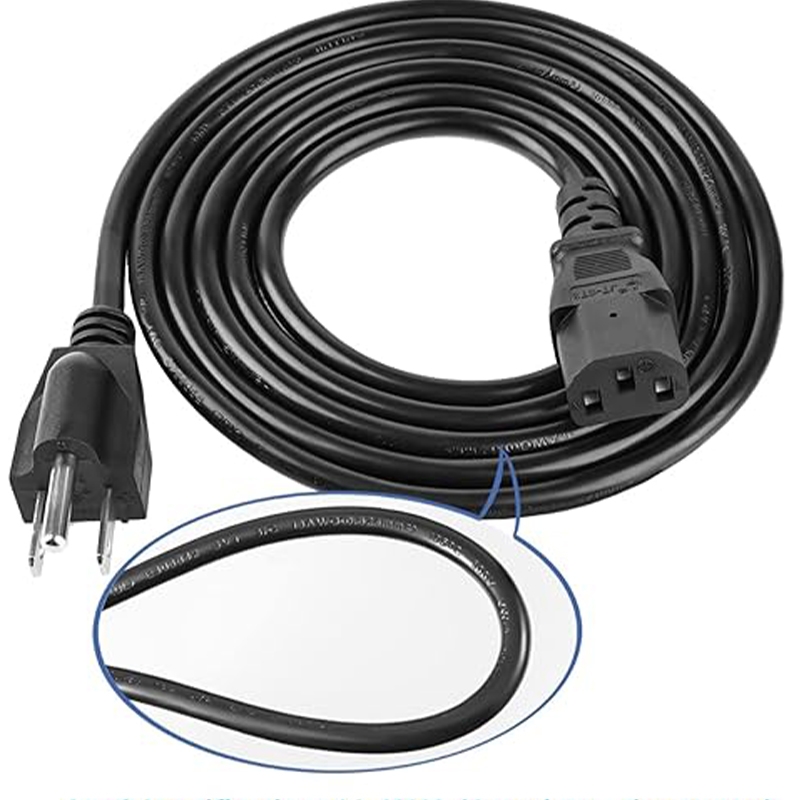
For example, a cord used with a desktop computer in the United States may have a NEMA 5-15P wall plug and an IEC C13 connector at the equipment end. The same computer model sold in Germany may use a Schuko wall plug while retaining the same C13 equipment connector.
Understanding these two ends is the first step in identifying the correct power cable.
1.1 Wall Plug Types: The Regional Connection
The wall plug connects the power cord to the electrical outlet. Its configuration depends on the destination market.
Common examples include:
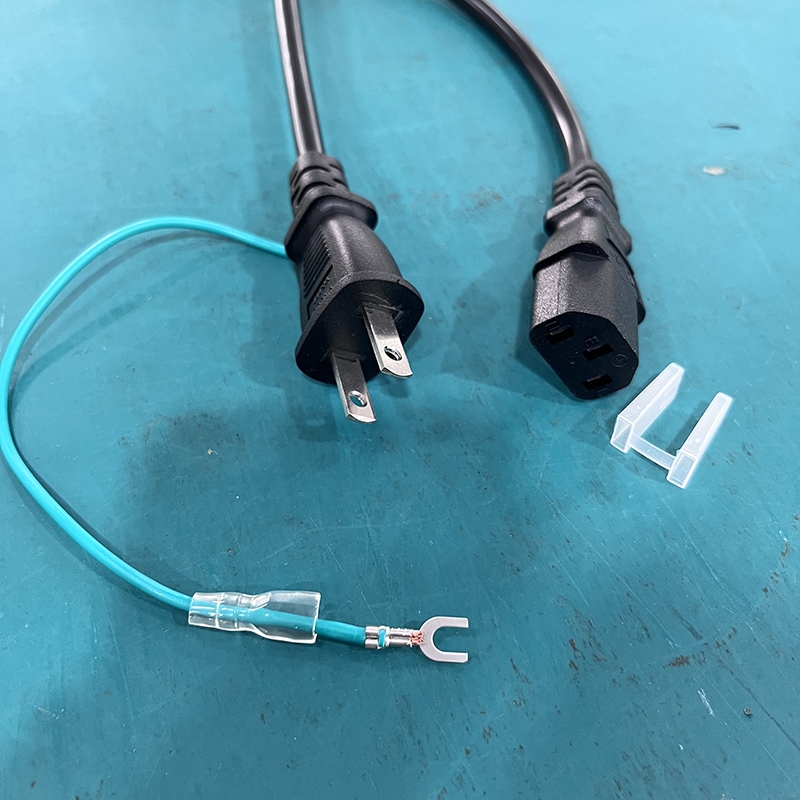
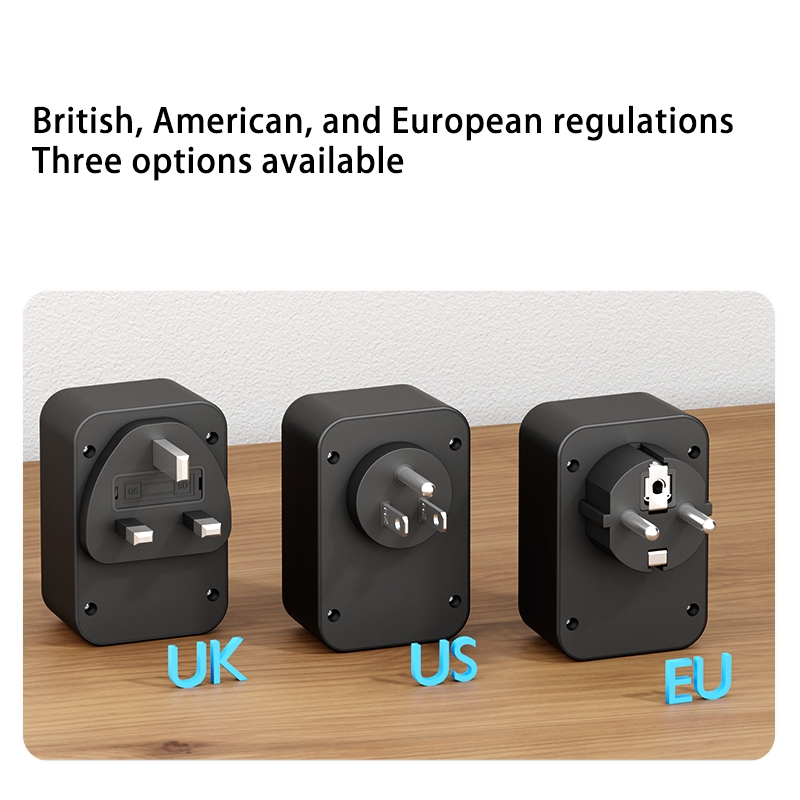
- NEMA 1-15P: A two-blade, ungrounded plug commonly used in North America.
- NEMA 5-15P: A three-prong grounded plug commonly used for household equipment in North America.
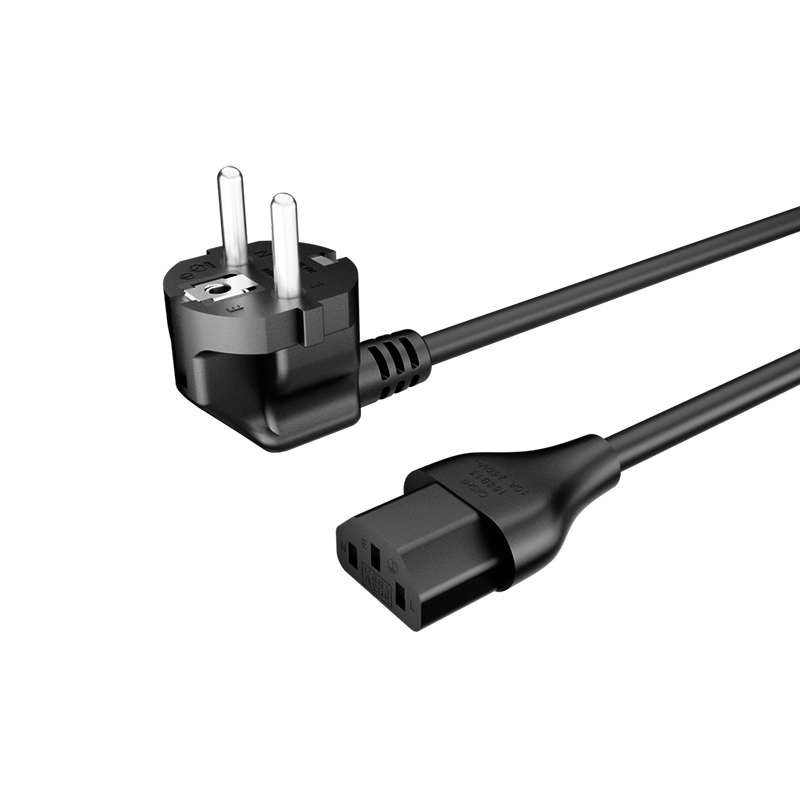
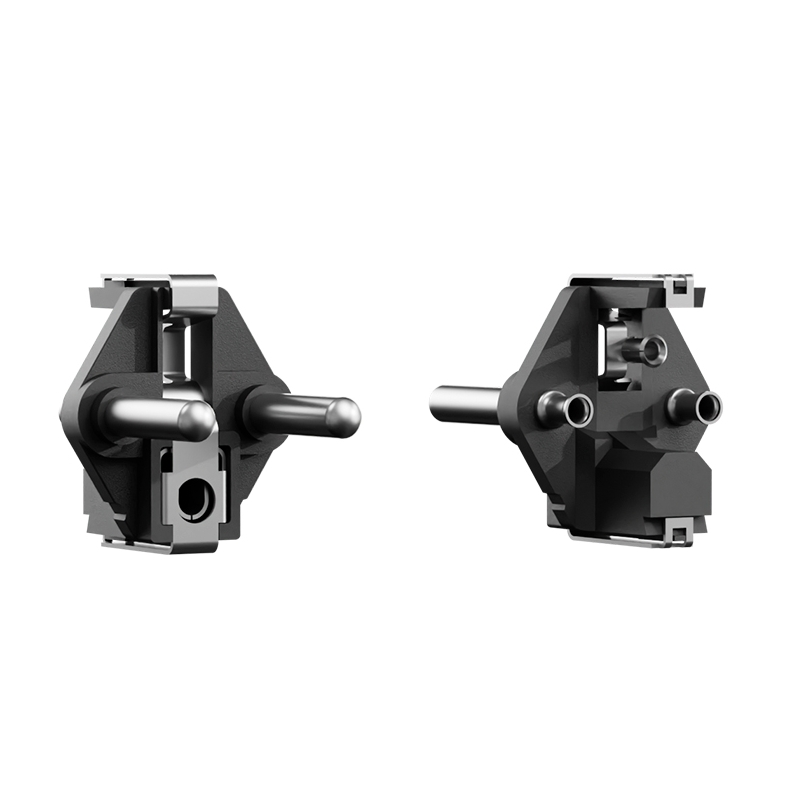
- Schuko (Type F): A grounded European plug with side earthing contacts.
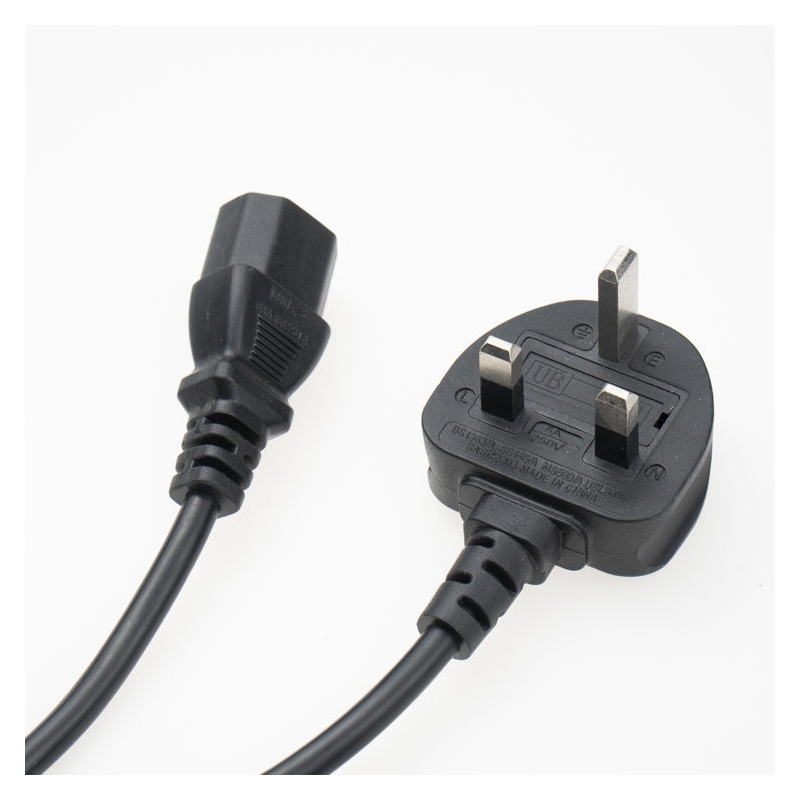
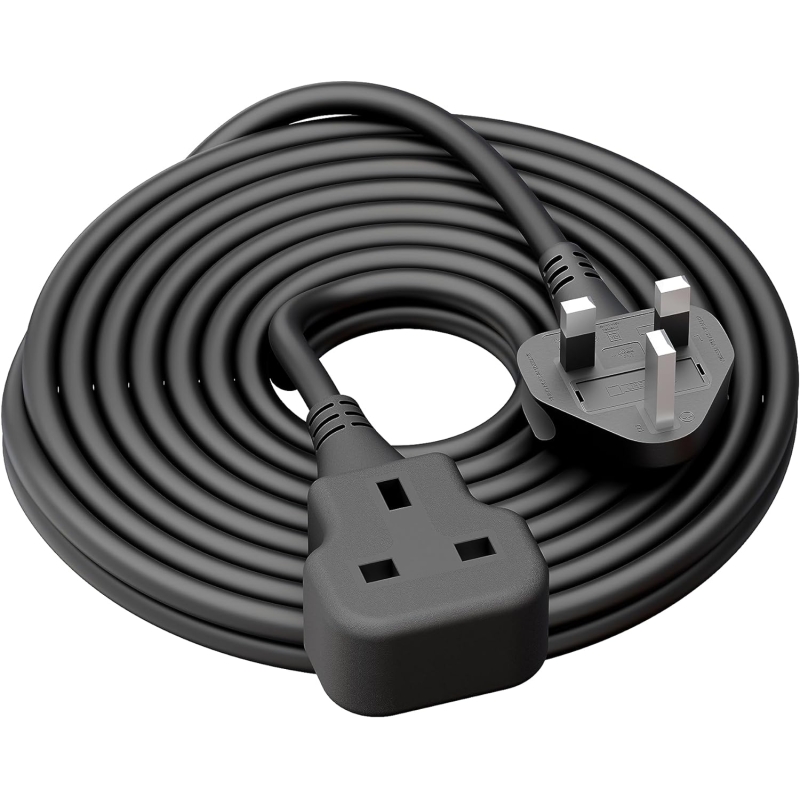
- BS 1363 (Type G): The three-rectangular-pin fused plug used in the United Kingdom.
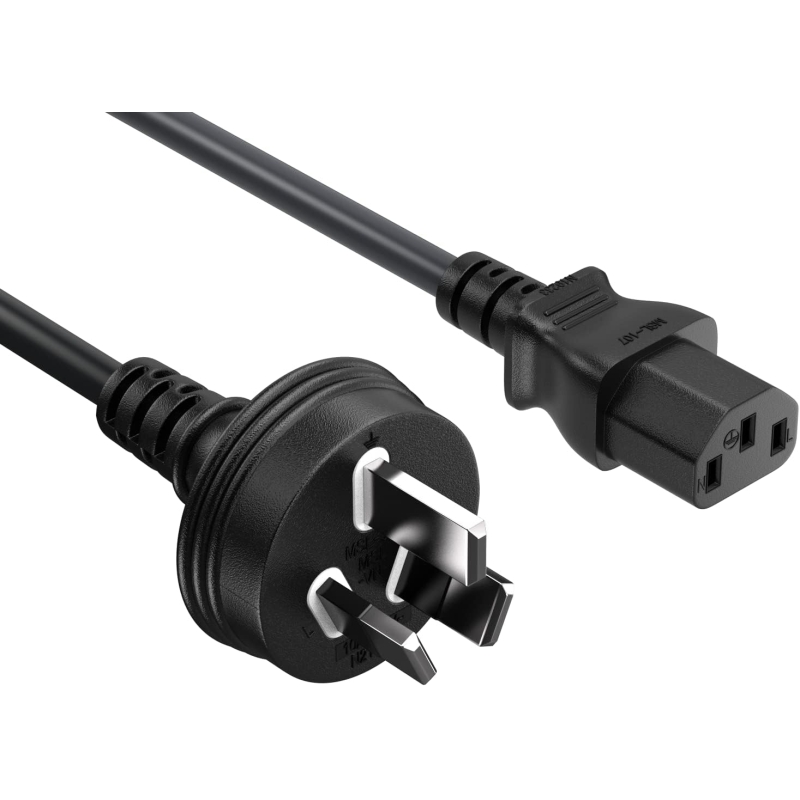
- Type I: A plug configuration used in markets including Australia and New Zealand.
The physical plug configuration is only one part of the specification. Its voltage and current ratings, grounding arrangement, applicable national requirements, and product certification must also be checked.
1.2 IEC Connector Types: The Equipment Connection
The equipment connector is the part that plugs into the power inlet on a computer, monitor, printer, television, or other appliance.
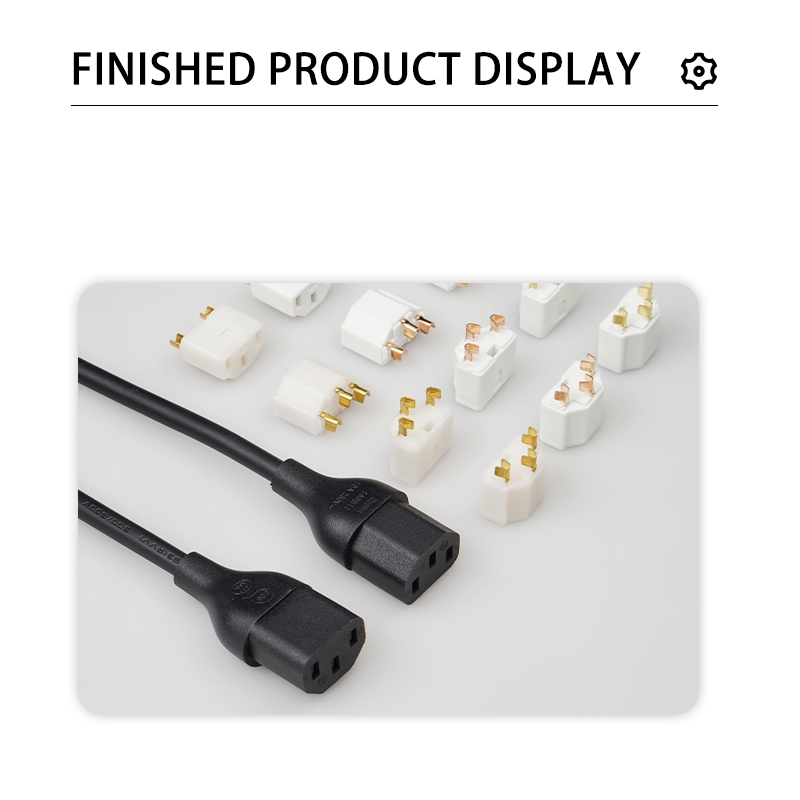
Many detachable AC power cords use connectors from the IEC 60320 family. Common examples include:
- C5 for certain laptop power adapters and electronic equipment.
- C7 for televisions, radios, and other compact electronic devices.
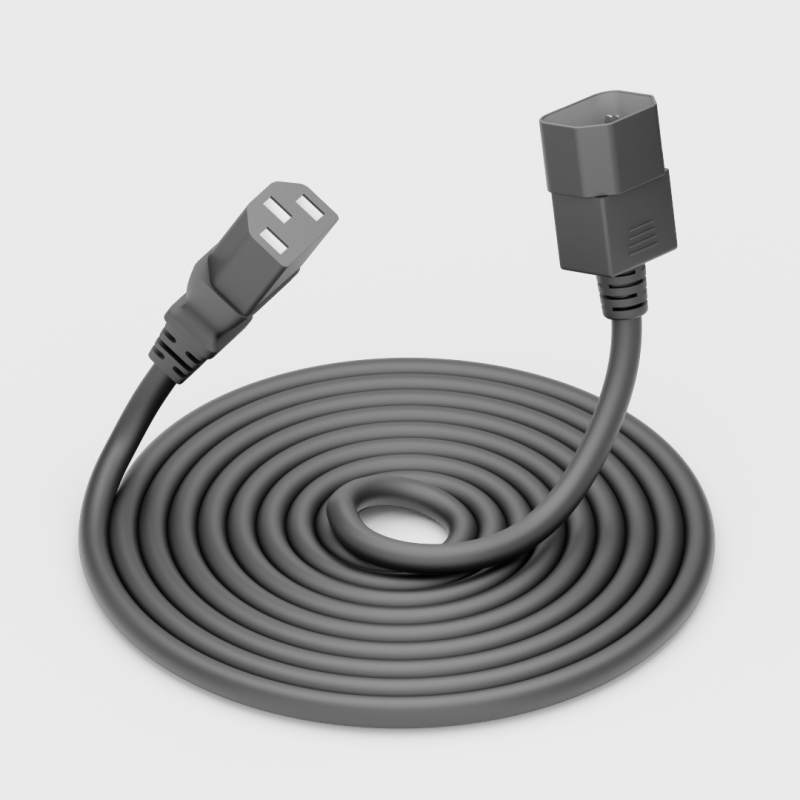
- C13 for desktop computers, monitors, and printers.
- C15 for equipment designed for higher-temperature conditions.
- C19 for certain servers, UPS systems, and rack-mounted equipment.
The standard matching pairs include C5/C6, C7/C8, C13/C14, C15/C16, and C19/C20.
IEC 60320 covers appliance couplers used to connect electrical equipment to the mains supply. The applicable standard and product markings should always be checked when selecting a replacement cord [
1.3 What Is the Difference Between a Cable, a Cord, and a Cord Set?
These three terms are often used interchangeably in product listings, but they do not always describe the same product.
- Cable: The conductor assembly and its insulation or outer jacket.
- Cord: A flexible cable that may be supplied with one or more terminations.
- Cord set: A finished assembly with an attachment plug and a connector or other termination, depending on the product design.
For example, 18 AWG SVT flexible cable supplied on a reel is not the same product as a finished NEMA 5-15P to C13 power cord.
This distinction matters when comparing supplier quotations. A buyer ordering bulk cable needs to consider the additional termination and assembly process. A buyer replacing a computer power cord generally needs a complete cord set.
When requesting a quotation, specify whether you need raw flexible cable, a power supply cord, or a finished AC power cord assembly.
2. What Are the Common IEC Power Connector Types?
IEC 60320 connectors are widely used in detachable AC power cords for electronic equipment and appliances. The most useful way to identify them is to compare their shape, number of contacts, grounding arrangement, and temperature classification.
The table below provides a practical overview of five common connector families.
| Connector pair | Common IEC current rating | Common pin temperature classification | Grounding | Typical applications |
|---|---|---|---|---|
| C5/C6 | 2.5 A | 70°C | Grounded | Laptop adapters, projectors |
| C7/C8 | 2.5 A | 70°C | Ungrounded | Slim TVs, radios, adapters |
| C13/C14 | 10 A | 70°C | Grounded | Desktop PCs, monitors, printers |
| C15/C16 | 10 A | 120°C | Grounded | Certain kettles and hot appliances |
| C19/C20 | 16 A | 70°C | Grounded | Servers, UPS systems, rack PDUs |
Important rating note: These are common IEC international ratings for the connector families, not universal ratings for every finished power cord sold in every country. Regional approvals and complete cord-set ratings may differ. Always check the product markings, applicable standards, and certification documentation for the specific assembly [1][2].
2.1 C5/C6: The Cloverleaf Connector for Laptop Power Adapters
The C5 connector is commonly called a cloverleaf connector because its front profile has three rounded lobes.
It is a three-contact, grounded connector commonly used with laptop power adapters, projectors, and selected electronic equipment.
The C5 cord connector mates with a C6 appliance inlet. When checking a replacement cord, look at the input socket on the power adapter rather than assuming that every laptop uses the same power cord.
A C5 connector is different from a C7 connector. Although both are relatively small, their shapes, contact arrangements, and grounding designs are not interchangeable.
For more product information, see the [C5 power cord guide].

2.2 C7/C8: The Two-Pin Figure-8 Power Connector
The C7 connector is commonly known as a figure-8 connector because of its symmetrical two-lobed shape.
Unlike the grounded C5 connector, C7 is a two-contact, ungrounded connector. It is commonly used with slim televisions, radios, game consoles, and compact electronic adapters.
C7 connectors are available in polarized and non-polarized configurations.
- Non-polarized C7: The two sides are symmetrical, allowing the connector to be inserted in either orientation.
- Polarized C7: One side of the connector is shaped differently to match a corresponding polarized equipment inlet.
If the equipment inlet has a flattened or squared side, check that the replacement cord has the matching configuration. Do not assume that every figure-8 cord is suitable for every C8 inlet.
For additional specifications, see the [C7 power cord guide].

2.3 C13/C14: The Standard Computer and Monitor Power Connector
The C13 connector is one of the most widely recognized IEC power cord connectors.
It has three contacts and a trapezoidal body. The C13 cord connector is designed to mate with a C14 appliance inlet.
Common applications include:Desktop computersComputer monitorsLaser printersCertain televisions
Other electronic equipment with a C14 inlet
The common IEC rating for a C13/C14 connection is 10 A at up to 250 V, with a 70°C pin temperature classification. The actual rating of a finished cord set depends on its construction and approval for the destination market.
C13 cords are sometimes called computer power cords or kettle leads in everyday product listings. However, a C13 connector should not be confused with a C15 connector used for certain higher-temperature applications.
For buyers, the most important check is the equipment inlet. If the device has a C14 inlet and its manufacturer specifies a C13 cord, select a cord with the correct plug, cable, ratings, and market approval.

2.4 C15/C16: The High-Temperature Power Connector
The C15 connector resembles the C13 connector but has an additional notch in its upper section.
This design distinguishes it from the standard C13 configuration and allows it to be used with a matching C16 appliance inlet.
The C15/C16 family has a common IEC current rating of 10 A and a 120°C pin temperature classification. It is designed for equipment that requires a higher-temperature connector configuration, such as certain kettles, hot beverage appliances, and other heating equipment.
A C15 connector can also mate with a compatible C14 inlet. However, the reverse should not be assumed: a standard C13 connector is not the correct matching connector for a C16 inlet.
Do not choose a C13 cord for a C16 appliance simply because the connectors look similar. The temperature classification and equipment requirements must match.
For more information about connector configurations, see the [C15 and C19 connector guide].
2.5 C19/C20: The High-Current Connector for Servers and UPS Systems
The C19 connector is larger than the C13 and C15 connectors. Its body is more rectangular, and its contact arrangement is designed for higher-current equipment.
The C19 cord connector mates with a C20 appliance inlet.
Common applications include:
- Server equipment
- Uninterruptible power supply (UPS) systems
- Rack-mounted power distribution units
- Certain high-power networking and industrial devices
The common IEC rating for the C19/C20 family is 16 A at up to 250 V. The rating of the finished cord set must still be confirmed for the destination market and the complete assembly.
A C19 cord is not a direct replacement for a C13 cord. Their physical dimensions and mating configurations are different.
2.6 How to Identify an IEC Connector by Its Shape
If you have an unidentified power cord, use the following steps as an initial visual check:
1. Count the contacts: C7 has two contacts, while C5, C13, C15, and C19 have three.
2. Check the overall shape: C5 has a cloverleaf profile, C7 has a figure-8 profile, C13 and C15 have a similar trapezoidal profile, and C19 has a larger rectangular body.
3. Look for the C15 notch: The notch helps distinguish C15 from C13.
4. Check the equipment inlet: Look for the marking or model documentation rather than relying on appearance alone.
5. Read the cord markings: Check the rated voltage, current, cable type, and other identification information.
A photograph of the connector beside a ruler can help a supplier identify an unfamiliar part. However, visual identification should be confirmed against the equipment specification before the cord is used.

3. What Are the Different Power Cord Plug Types by Market?
The wall plug determines which electrical outlet a power cord can connect to. It is therefore one of the main differences between power cords supplied for different countries.
A computer or monitor may use the same IEC connector worldwide while requiring a different wall plug for each destination market.
3.1 North America: NEMA 1-15P, 5-15P, and 5-20P
North American power cords commonly use NEMA plug configurations.
Three examples are particularly relevant:
- NEMA 1-15P: A two-blade, two-wire plug without a grounding contact.
- NEMA 5-15P: A three-prong grounded plug commonly used for computers and other household electronic equipment.
- NEMA 5-20P: A 20 A configuration with a different blade arrangement from the 5-15P.
The plug configuration helps prevent certain incompatible connections, but it does not establish the rating of the complete power cord by itself.
For example, a NEMA 5-15P plug does not automatically mean that every cord assembly carrying that plug is suitable for every 15 A application. The cable, connector, terminations, product approval, and equipment requirements must also be considered.
3.2 Europe: Schuko, Type E, and Europlug Configurations
European power cords use several plug configurations.
Common examples include:
- Schuko (Type F): A grounded plug with side earthing contacts, widely used in many European markets.
- Type E: A grounded configuration using an earth pin in the socket.
- CEE 7/7: A hybrid plug design intended to work with compatible Type E and Type F socket systems.
- Europlug (CEE 7/16): A compact, ungrounded two-pin plug used for suitable low-current equipment.
Although these plugs may look similar, their grounding arrangements and rated values are not identical. The correct plug must be selected according to the equipment requirements and the destination country's applicable standards.
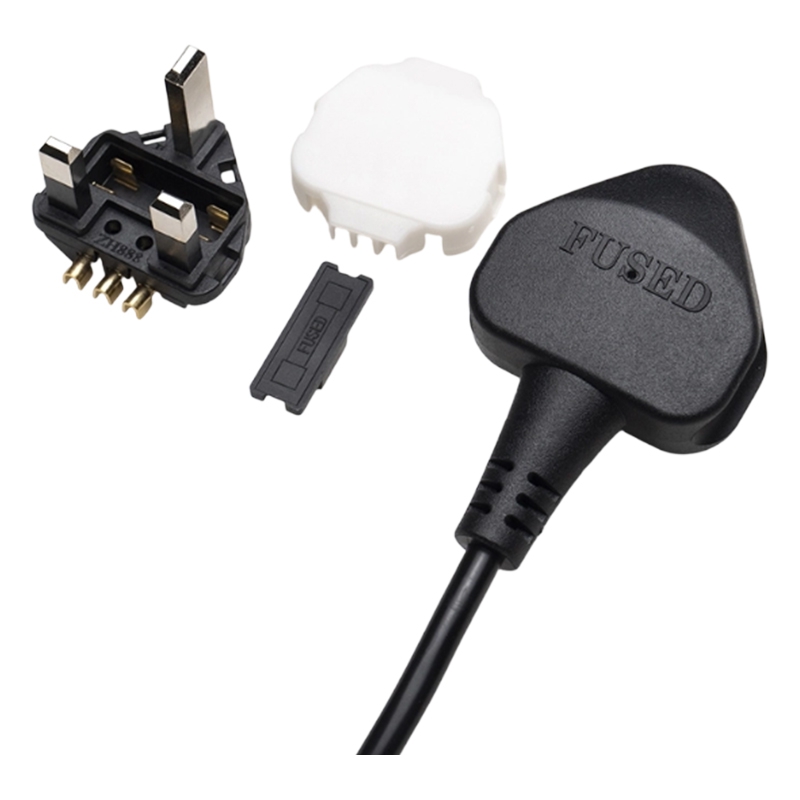
3.3 United Kingdom: BS 1363 Type G Power Plugs
The UK uses the BS 1363 plug system.
A typical UK plug has three rectangular pins and incorporates a fuse. The fuse rating should be selected according to the appliance and the applicable requirements, rather than automatically assuming that every plug should contain a 13 A fuse.
BS 1363 covers the construction, safety, dimensional requirements, testing, and marking of UK plugs and socket outlets [3].
For a UK power cord order, buyers should confirm:
- BS 1363 plug configuration
- Required fuse rating
- Cable specification
- Rated voltage and current
- Applicable product certification and compliance requirements
3.4 Australia and Other Regional Power Plug Types
Other markets use different plug configurations. Examples include:
| Market or region | Common plug configuration |
|---|---|
| Australia and New Zealand | Type I |
| China | Type I configurations are commonly used |
| Japan | Type A and other approved configurations |
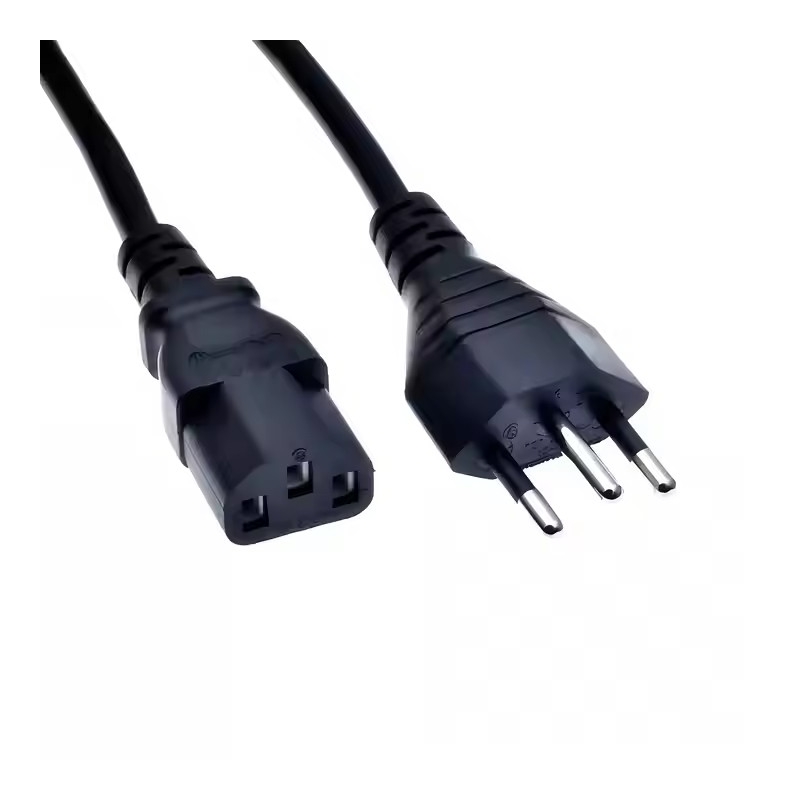
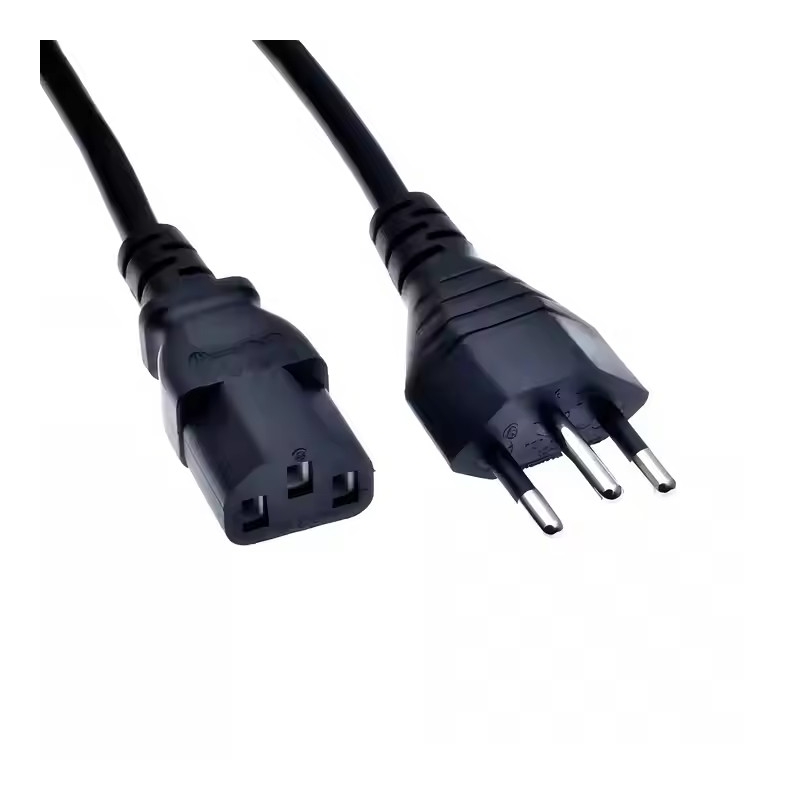
| Brazil | Type N |
| India | Type D and Type M |
| Switzerland | Type J |
| Italy | Type L |
| South Africa | Type M and other applicable configurations |
This table is intended as a general identification guide, not a complete specification or certification list.
A plug that physically resembles one used in another country is not necessarily approved for that market. Buyers should confirm the exact national standard, rated voltage and current, grounding requirements, and certification scope before placing an order.
3.5 Why the Same Equipment May Need Different Power Cords in Different Countries
Many electronic devices are designed with a detachable AC input cord. When the equipment is sold in different countries, the wall plug can change while the equipment-side connector remains the same.
For example:
- A desktop computer supplied in the United States may use NEMA 5-15P to C13.
- The same type of computer supplied in Germany may use a Schuko plug to C13.
- A UK version may use a BS 1363 fused plug to C13.
This is why international equipment manufacturers often source different cord sets for different destination markets.
However, using a different wall plug does not automatically make equipment compatible with another country's electrical supply. The equipment input rating must also support the local voltage and frequency.
4. Which Power Cable Types Do PCs, Monitors, and TVs Use?
Different electronic devices use different AC power inlets. The correct replacement cord should be identified from the equipment inlet, not from the brand name or the device category alone.
The following table provides a general reference.
| Device | Common equipment inlet | Matching cord connector | What to check |
|---|---|---|---|
| Desktop PC | C14 | C13 | Grounding and complete cord-set rating |
| Monitor | C14 or C6 | C13 or C5 | Whether the monitor uses a direct inlet or external adapter |
| Television | C8 or C14 | C7 or C13 | Polarized or non-polarized C7 configuration |
| Laptop power adapter | C6 or C8 | C5 or C7 | The inlet on the adapter, not the laptop |
| Laser printer | Often C14 | Often C13 | Equipment input rating and cord specification |
| Game console | Model-dependent, sometimes C8 | Model-dependent, sometimes C7 | Confirm the actual inlet |
| High-temperature appliance | C16 | C15 | Temperature classification and equipment instructions |
These are common examples, not universal rules. Always follow the equipment manufacturer's specifications.
4.1 Desktop Computer Power Cords
Many desktop computer power supplies use a C14 appliance inlet and a C13 power cord connector.
A common North American configuration is NEMA 5-15P to C13. Other markets use the appropriate regional wall plug with the same equipment-side connector.
When selecting a replacement desktop computer power cord, check:
- The equipment inlet is actually C14.
- The cord has the correct C13 connector.
- The grounding contact is present and undamaged.
- The cable and complete cord set have suitable ratings.
- The cord is approved for the destination market.
Do not assume that all desktop computers use detachable C13 cords. Some compact systems and power adapters use different arrangements.
4.2 Monitor Power Cords
Computer monitors may use a C14 inlet, a C6 inlet, or an external power adapter, depending on the model.
A monitor with a C14 inlet typically uses a C13 power cord. A monitor supplied with an adapter may instead use a C5 or C7 cord at the adapter's AC input.
Before ordering a monitor power cord, inspect the rear panel or the external adapter. The connector required by the adapter is not necessarily the same as the connector that would be used on a monitor with a built-in power supply.
4.3 TV Power Cable Types: C7 and C13
Televisions commonly use either a C7 figure-8 cord or a C13 power cord, depending on their design.
- C7 power cords: Commonly found on slim televisions and other compact electronic devices with a C8 inlet.
- C13 power cords: Used on some televisions with a C14 inlet and an integrated power supply.
Some televisions use external power adapters instead of a direct AC inlet. In these cases, the AC power cord connects to the adapter, while a separate low-voltage DC cable connects the adapter to the television.
Do not select a TV power cable based only on screen size or brand. Check the actual inlet and the manufacturer's instructions. If the inlet is polarized, make sure the C7 connector has the matching configuration.
4.4 Laptop Power Adapter Cords
Laptop power cords connect to the AC input of the external power adapter, not usually to the laptop itself.
Depending on the adapter design, the AC input may use:
- C5 cloverleaf connector
- C7 figure-8 connector
- A captive or permanently attached AC cord
The DC output cable from the adapter is a separate component. It should not be confused with the AC power cord.
Many laptop adapters are marked with a wide input voltage range, such as 100–240 V AC. If the adapter supports the local supply, a compatible regional AC power cord may be used, provided it meets the adapter manufacturer's requirements and local safety requirements.
4.5 Printers, Game Consoles, and Other Electronic Devices
Printers, game consoles, and other electronic products may use C5, C7, C13, or other connector configurations.
Laser printers can have different electrical requirements from smaller office electronics, especially when they contain heating components. Therefore, the replacement cord should be selected according to the printer's rated input and manufacturer specifications.
Game consoles and compact devices may use C7 cords, but the connector configuration can vary by model and region.
For all these products, the equipment inlet and nameplate are more reliable than assumptions based on product category.
5. How to Choose the Right AC Power Cord Safely
A power cord that physically fits is not necessarily the correct cord for the equipment. A suitable replacement must match the electrical, mechanical, and regulatory requirements of the application.
5.1 Check the Equipment Inlet and Matching Connector
Start by checking the equipment inlet.
Look for:
- Connector markings, if present
- Number and arrangement of contacts
- Grounding configuration
- Polarized or non-polarized design
- Equipment manufacturer's replacement instructions
For example, a C14 inlet normally uses a C13 cord connector, while a C16 inlet is designed for a C15 connector.
Never force a connector into an inlet. If the connector does not fit smoothly, stop and verify the part number and equipment specification.
5.2 Match the Voltage and Current Ratings
Check the electrical nameplate on the equipment and compare it with the markings on the cord set.
The complete cord assembly must be suitable for the equipment's rated input and the local supply.
Do not assume that the rating of the wall plug or IEC connector alone determines the rating of the finished cord set. The cable, connector, plug, terminations, and certification all affect the approved assembly rating.
For North American products, UL 817 specifies requirements for cord sets and power-supply cords using molded-on or assembled-on fittings [2]. Buyers should check the actual listing or certification information for the product being purchased.
5.3 Select the Correct Wire Gauge and Cable Construction
Wire gauge is an important part of power cord selection, but it should not be considered in isolation.
The required conductor size depends on factors such as:
- Equipment input current
- Cable length
- Conductor material and construction
- Insulation type and temperature rating
- Ambient temperature and installation conditions
- Plug and connector ratings
- Applicable standards and certification requirements
A longer cable may have greater resistance and voltage drop than a shorter cable of the same construction. However, it is not appropriate to select a cord based on AWG alone.
For bulk orders, buyers should specify the required cable type, conductor count, cross-sectional area or AWG, length, insulation material, and applicable product standard.
5.4 Confirm Grounding and Polarity Requirements
Grounding and polarity are important safety considerations.
A grounded cord must have the appropriate grounding conductor and compatible plug and equipment connector. Do not replace a grounded cord with an ungrounded one unless the equipment manufacturer explicitly permits that configuration.
For polarized two-pin cords, the connector shape must match the equipment inlet. A non-polarized connector should not be substituted where the equipment requires a polarized connection.
5.5 Check Certification and Destination Market Requirements
A power cord intended for one country may not automatically meet the requirements of another country.
Depending on the destination market and product type, buyers may need to confirm:
- Applicable national plug and cord standards
- Required certification or approval
- Correct product markings
- Rated voltage and current
- Cable type and construction
- Whether the certification covers the complete cord set
For example, a UK cord using a BS 1363 plug must meet the relevant requirements for that plug system. A North American cord set should be checked against the applicable requirements for its product category and intended use.
A supplier's general statement that a product is certified is not enough. Request the relevant certificate or listing information and confirm that the model and product scope match the item being purchased.
6. What Should Buyers Consider When Sourcing Power Cords from a Manufacturer?
For importers, wholesalers, brand owners, and equipment manufacturers, choosing a power cord supplier involves more than identifying a connector.
A suitable supplier should be able to understand the application, confirm the required specifications, provide relevant product documentation, and support sample evaluation before bulk production.
6.1 Prepare the Complete Power Cord Specification
Before requesting a quotation, prepare as much of the following information as possible:
| Specification | Information to provide |
|---|---|
| Destination market | United States, UK, Germany, Australia, Japan, etc. |
| Wall plug | NEMA 5-15P, Schuko, BS 1363, Type I, etc. |
| Equipment connector | C5, C7, C13, C15, C19, etc. |
| Rated voltage | Required voltage rating |
| Rated current | Required current rating |
| Cable type | H05VV-F, SVT, SJT, or other specified type |
| Conductor specification | Number of cores and cross-sectional area or AWG |
| Cable length | Required finished length |
| Cable color | Black, white, or another specified color |
| Certification | Applicable market and product approval |
| Packaging | Bulk packing, individual bags, labels, or retail packaging |
If you have an existing sample, drawing, or product specification sheet, share it with the manufacturer. This can reduce misunderstandings during quotation and sample development.
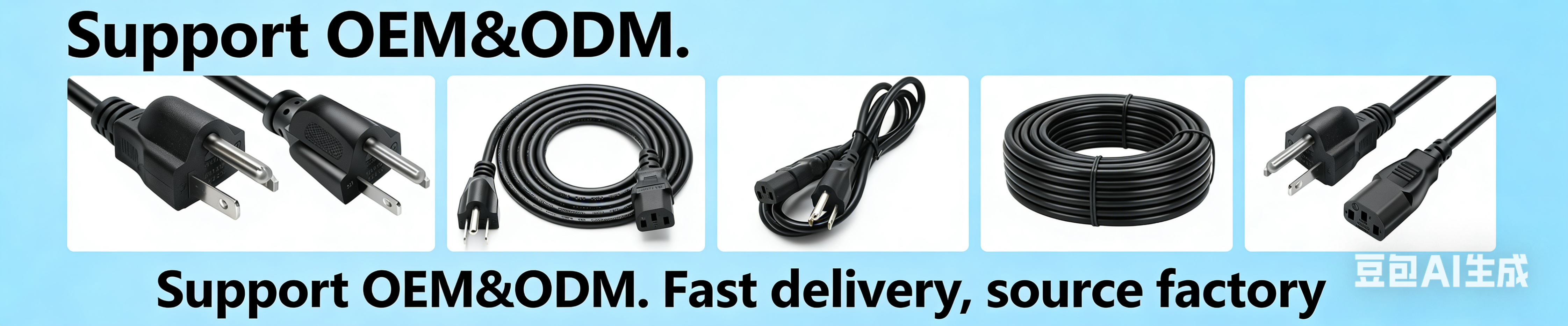
6.2 Confirm OEM and ODM Manufacturing Capabilities
Different buyers have different sourcing requirements.
Some need a standard power cord with a specific plug and IEC connector. Others need customized cable lengths, colors, labels, packaging, or product configurations.
When evaluating a manufacturer, ask whether it can support:
- Different regional plug configurations
- Different IEC connector types
- Cable length and color requirements
- Specified cable constructions
- Product drawings and sample confirmation
- OEM branding and packaging
- Relevant certification and compliance documentation
A manufacturer's capabilities should be assessed against the actual product and production process required for your order.
6.3 Evaluate Samples Before Bulk Production
A pre-production sample helps buyers confirm whether the proposed cord matches their equipment and specification.
During sample evaluation, check:
1. Plug and connector configuration.
2. Overall cable length and appearance.
3. Cable markings and product identification.
4. Rated voltage and current information.
5. Grounding and polarity, where applicable.
6. Relevant certification and documentation.
7. Fit with the intended equipment.
For safety-related electrical products, visual inspection alone is not sufficient. Electrical and mechanical testing should be conducted according to the applicable product standards and the agreed quality requirements.
6.4 Review Quality Control and Manufacturing Processes
When sourcing power cords in bulk, buyers should understand how the manufacturer controls production quality.
Depending on the product and factory's actual capabilities, relevant processes may include:
- Incoming inspection of plugs, connectors, and cable materials
- Cable cutting and stripping
- Terminal processing and assembly
- Plug or connector molding
- Assembly inspection
- Electrical testing
- Final appearance and packaging inspection
Ask the supplier which inspections and tests are performed on the specific product, how results are recorded, and whether the relevant documentation can be provided.
A reliable sourcing decision should be based on verified manufacturing capabilities and product-specific quality evidence, not only on general marketing statements.
7. Common Power Cord Selection Mistakes to Avoid
Several mistakes can lead to incorrect purchases, compatibility problems, or safety risks.
7.1 Choosing a Power Cord by Appearance Alone
Two connectors may look similar but have different ratings, grounding arrangements, or temperature classifications.
Better approach: Identify the connector code and verify the equipment inlet before ordering.
7.2 Using a C13 Cord for Equipment That Requires C15
C13 and C15 connectors have similar overall shapes, but they are designed for different temperature conditions.
Better approach: Check whether the equipment specifies a C13 or C15 connector. Use the correct temperature-rated cord.
7.3 Ignoring Polarized and Non-Polarized C7 Differences
Not every C7 figure-8 connector has the same shape.
Better approach: Inspect the C8 equipment inlet and match the polarized or non-polarized connector configuration.
7.4 Selecting a Cord Based Only on the Plug's Current Rating
The wall plug rating does not automatically establish the rating of the complete cord set.
Better approach: Check the ratings of the cable, equipment connector, wall plug, and complete approved assembly.
7.5 Choosing Cable by AWG Without Checking the Application
A conductor size that is suitable for one cord set may not be suitable for another with a different current, length, temperature, or certification requirement.
Better approach: Specify the full cable construction and verify the approved rating of the complete cord set.
7.6 Buying Imported Cords Without Checking Local Compliance
A power cord that is suitable for one market may not have the required approval for another.
Better approach: Confirm the applicable destination-market standard and request product-specific certification documentation before placing a bulk order.
8. Frequently Asked Questions About Power Cable Types
8.1 What Are the Most Common Types of Power Cables?
Common detachable AC power cords include C5, C7, C13, C15, and C19 connector configurations. The correct type depends on the equipment inlet, electrical rating, grounding requirements, and destination market.
8.2 Are AC Power Cords Interchangeable?
No. AC power cords are not universally interchangeable. The wall plug, equipment connector, current rating, voltage rating, grounding, polarity, cable construction, and local certification requirements must all be suitable for the application.
8.3 What Type of Power Cord Does a Desktop Computer Use?
Many desktop computers use a C13 power cord connected to a C14 inlet. The wall plug depends on the destination market. For example, a North American version may use NEMA 5-15P to C13.
Always check the power supply inlet and its specifications before purchasing a replacement.
8.4 What Type of Power Cable Does a TV Use?
Some televisions use a C7 figure-8 power cord, while others use a C13 cord. TVs with external power adapters may use a different AC input cord and a separate low-voltage DC output cable.
Check the actual inlet or the adapter's input socket to identify the correct cord.
8.5 What Is the Difference Between C13 and C15 Power Cords?
C13 and C15 connectors have similar shapes, but C15 has an additional notch and a higher pin temperature classification.
The common IEC C13/C14 configuration has a 70°C pin temperature classification, while C15/C16 is commonly classified at 120°C. C15 is used for equipment designed for higher-temperature conditions.
8.6 What Is the Difference Between C13 and C14?
C13 is the connector fitted to the power cord, while C14 is the corresponding appliance inlet fitted to the equipment. They form a standard mating pair in the IEC 60320 family.
8.7 How Do I Identify the Correct AC Power Cord?
Start by checking the equipment inlet and its connector code. Then verify the wall plug type, voltage and current ratings, grounding, polarity, cable construction, and certification requirements for the destination market.
If the markings are unclear, consult the equipment manufacturer's documentation or ask a qualified supplier to confirm the specification.
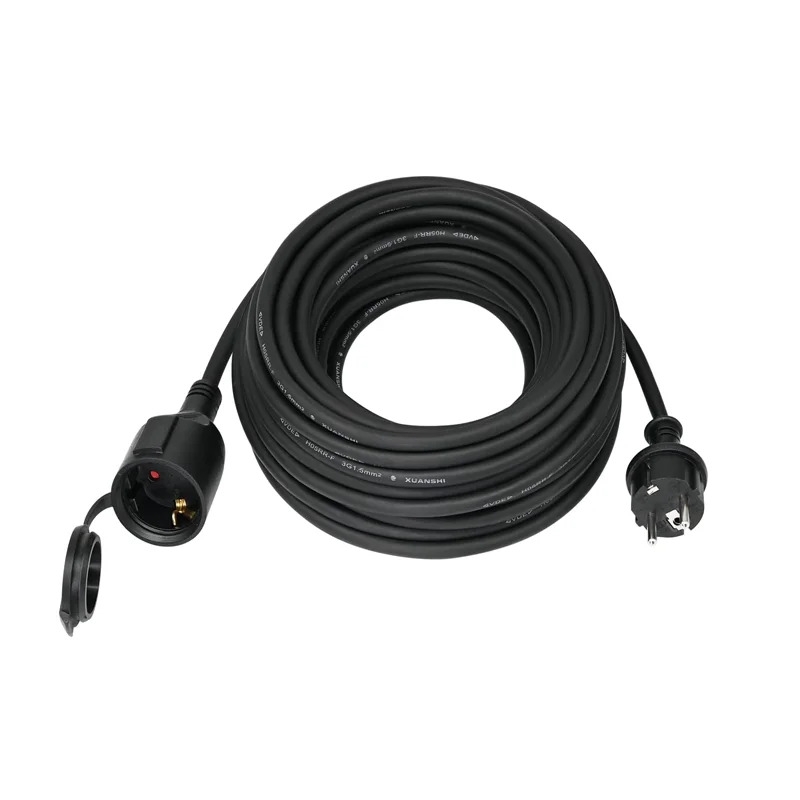
8.8 Is an Extension Cord the Same as a Power Cord?
No. A power cord typically connects equipment to a power outlet or power source. An extension cord extends the reach of an existing outlet and usually has a socket outlet at the other end.
Both products require suitable cable construction and ratings, but their configurations and applicable product requirements may differ.
8.9 Can I Replace the Plug on an Existing Power Cord?
Changing a plug or re-terminating a cord can affect the safety and certification status of the finished assembly. It should only be carried out by a qualified person in accordance with the applicable requirements.
For many replacement applications, using a complete, correctly rated and approved cord set is the more straightforward option.
8.10 When Should a Power Cord Be Replaced?
Replace a power cord if it has a damaged jacket, exposed conductors, a cracked connector, loose contacts, burn marks, discoloration, or other signs of damage.
Do not continue using a cord that shows signs of overheating or physical deterioration. Follow the equipment manufacturer's instructions and applicable electrical safety requirements.
9. Find the Right Power Cord for Your Application
Identifying the correct power cable starts with the equipment inlet and the wall plug required for the destination market. Connector shape is only the beginning. Current rating, voltage, grounding, polarity, cable construction, temperature classification, and certification must also be considered.
For equipment manufacturers, importers, and wholesalers, a complete product specification makes sourcing more efficient and helps reduce errors during sample approval and bulk production.
At TISDLIP, we supply power cord products for different applications and destination markets. Buyers can review our [power cord catalog] and [IEC 60320 power cord range].
For product inquiries, OEM/ODM requirements, or specification confirmation, contact our team with your plug type, connector type, cable specification, length, and target market. We can review the requirements and discuss a suitable product configuration.
References
The technical information in this article is based on the standards and technical references listed below. Product ratings and compatibility should always be verified against the current applicable standard, product markings, certification scope, and equipment manufacturer's instructions.
[1] International Electrotechnical Commission (IEC) — IEC 60320-1:2021
*Appliance couplers for household and similar general purposes – Part 1: General requirements.*
The IEC publication describes the general requirements for appliance couplers used to connect electrical equipment to the mains supply, including two-pole and earthed configurations.
https://webstore.iec.ch/en/publication/64901
[2] UL Standards & Engagement — UL 817, Cord Sets and Power-Supply Cords
UL 817 specifies requirements for cord sets and power-supply cords employing molded-on or assembled-on fittings, as well as relevant attachment plugs and cord connectors.
https://shopulstandards.com/ProductDetail.aspx?productId=UL817
[3] British Standards Institution (BSI) — BS 1363: 13A Plugs, Socket-Outlets, Adaptors and Connection Units
This standard series covers safety, construction, dimensional accuracy, testing, and marking requirements for the UK 13 A plug and socket system.
https://www.bsigroup.com/en-GB/products-and-services/standards/bs-1363-13a-plugs-socket-outlets-adaptors-and-connection-units/
[4] BEAMA — Technical Bulletin: 2023 Revision of the BS 1363 Series
This technical bulletin summarizes changes introduced in the 2023 revision of the BS 1363 series, including requirements for fused plugs, socket outlets, adaptors, and connection units.
https://www.beama.org.uk/resourceLibrary/beama-technical-bulletin---2023-revision-of-bs-1363-series.html
[5] Power Dynamics, Inc. — IEC 60320 Configurations
A technical reference chart showing common IEC connector families, current ratings, temperature classifications, and equipment classes.
https://www.powerdynamics.com/Resources/IEC%2060320%20Configurations.pdf
[6] IEC Equipment — International Cord Set Configurations
A reference chart showing commonly used international plug configurations and IEC connector combinations. The chart references EN 60799, IEC 60083, and IEC 60320-1.
https://www.iec-equipment.com/Uploads/download/63f033a506e28.pdf
[7] U.S. Consumer Product Safety Commission (CPSC) — Extension Cords: Business Guidance
This guidance explains the scope of U.S. requirements for factory-assembled household extension cords and distinguishes extension cord sets from detachable appliance power cords and other products.
https://www.cpsc.gov/Business--Manufacturing/Business-Education/Household-Electrical-Products/Extension-Cords



 Email
